Free KDP cover calculator
KDP cover generator
A KDP cover generator has to know the book's geometry.
The picture is only one panel. A KDP paperback cover also needs a spine, a back cover, bleed, a barcode zone, and a 300 DPI canvas. Start with the wrap, then make the art fit it.
Checked:
✓Full wrap from the final page count✓Spine and barcode checks✓300 DPI canvas for the artwork
Paperback cover dimensions
Spine width0.450 in11.44 mm
Full cover size12.700 × 9.250 in322.59 × 234.95 mm
Canvas (300 DPI · Canva)3810 × 2775 px300 DPI · Canva custom size
Spine text
Eligible: more than 79 pages. Keep at least 0.0625 in from each spine edge.
Reference chart: every KDP trim at 100, 200, and 300 pages
Paper: Black & white · white paper
| Trim size | Pages | Spine | Full wrap (in) | 300 DPI canvas (px) |
|---|---|---|---|---|
| 5" × 8" | 100 | 0.225 in | 10.475 × 8.250 in | 3143 × 2475 px |
| 5" × 8" | 200 | 0.450 in | 10.700 × 8.250 in | 3210 × 2475 px |
| 5" × 8" | 300 | 0.676 in | 10.926 × 8.250 in | 3278 × 2475 px |
| 5.25" × 8" | 100 | 0.225 in | 10.975 × 8.250 in | 3293 × 2475 px |
| 5.25" × 8" | 200 | 0.450 in | 11.200 × 8.250 in | 3360 × 2475 px |
| 5.25" × 8" | 300 | 0.676 in | 11.426 × 8.250 in | 3428 × 2475 px |
| 5.5" × 8.5" | 100 | 0.225 in | 11.475 × 8.750 in | 3443 × 2625 px |
| 5.5" × 8.5" | 200 | 0.450 in | 11.700 × 8.750 in | 3510 × 2625 px |
| 5.5" × 8.5" | 300 | 0.676 in | 11.926 × 8.750 in | 3578 × 2625 px |
| 6" × 9" | 100 | 0.225 in | 12.475 × 9.250 in | 3743 × 2775 px |
| 6" × 9" | 200 | 0.450 in | 12.700 × 9.250 in | 3810 × 2775 px |
| 6" × 9" | 300 | 0.676 in | 12.926 × 9.250 in | 3878 × 2775 px |
| 6.14" × 9.21" | 100 | 0.225 in | 12.755 × 9.460 in | 3827 × 2838 px |
| 6.14" × 9.21" | 200 | 0.450 in | 12.980 × 9.460 in | 3894 × 2838 px |
| 6.14" × 9.21" | 300 | 0.676 in | 13.206 × 9.460 in | 3962 × 2838 px |
| 7" × 10" | 100 | 0.225 in | 14.475 × 10.250 in | 4343 × 3075 px |
| 7" × 10" | 200 | 0.450 in | 14.700 × 10.250 in | 4410 × 3075 px |
| 7" × 10" | 300 | 0.676 in | 14.926 × 10.250 in | 4478 × 3075 px |
| 8" × 10" | 100 | 0.225 in | 16.475 × 10.250 in | 4943 × 3075 px |
| 8" × 10" | 200 | 0.450 in | 16.700 × 10.250 in | 5010 × 3075 px |
| 8" × 10" | 300 | 0.676 in | 16.926 × 10.250 in | 5078 × 3075 px |
| 8.5" × 11" | 100 | 0.225 in | 17.475 × 11.250 in | 5243 × 3375 px |
| 8.5" × 11" | 200 | 0.450 in | 17.700 × 11.250 in | 5310 × 3375 px |
| 8.5" × 11" | 300 | 0.676 in | 17.926 × 11.250 in | 5378 × 3375 px |
| 8.5" × 8.5" | 100 | 0.225 in | 17.475 × 8.750 in | 5243 × 2625 px |
| 8.5" × 8.5" | 200 | 0.450 in | 17.700 × 8.750 in | 5310 × 2625 px |
| 8.5" × 8.5" | 300 | 0.676 in | 17.926 × 8.750 in | 5378 × 2625 px |
Paperback calculation uses KDP's published 0.125 in bleed and current paper thickness factors. Always confirm the final page count after interior formatting.
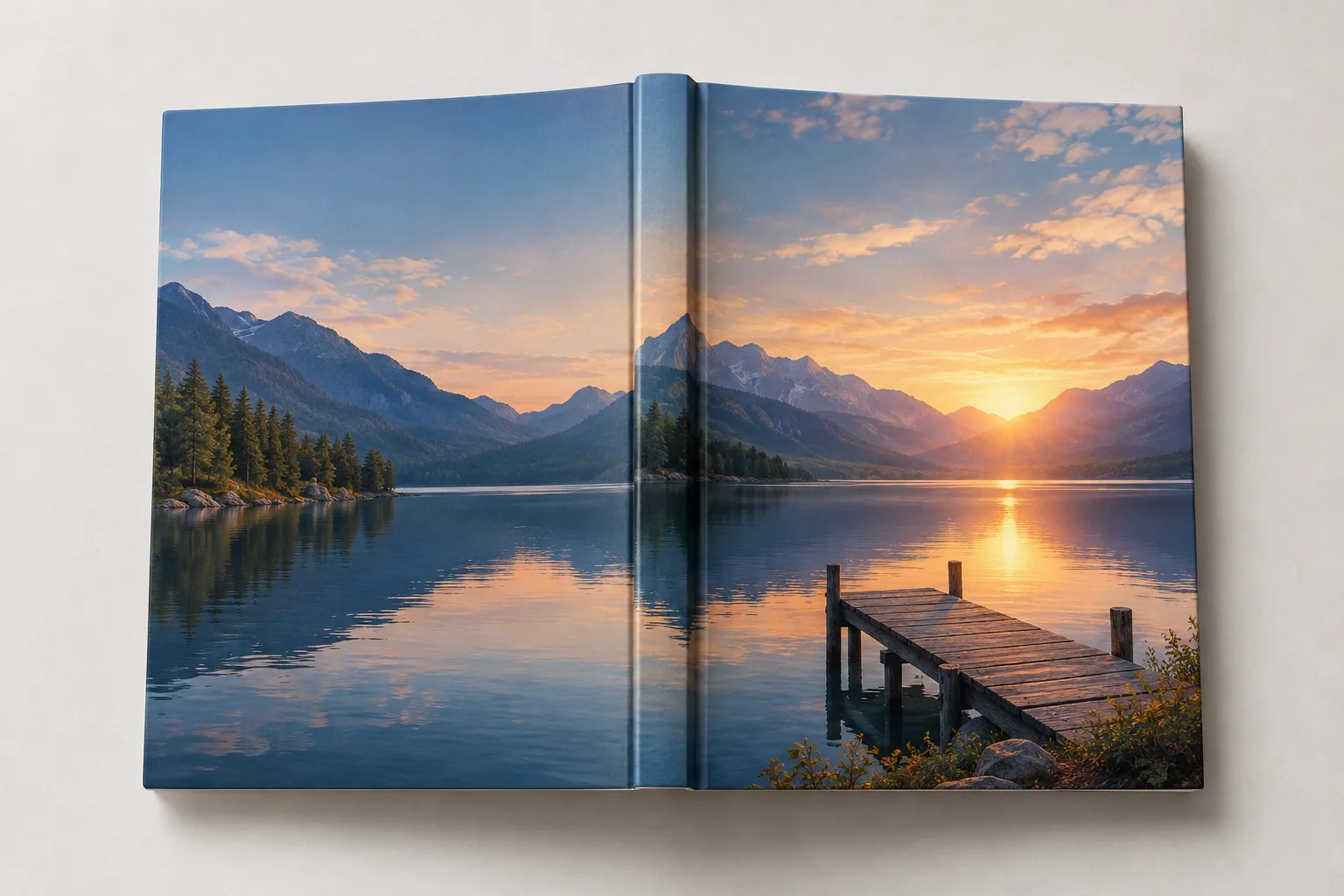
The front cover is not the full wrap
A KDP paperback file is one continuous cover containing the back cover, spine, and front cover. The front and back panels match the trim size. The spine changes with the final page count and the paper type. Bleed adds 0.125 inches on the top, bottom, and outside edges. The barcode area belongs to KDP and should stay clear.
That is why a generated image cannot be uploaded as a cover by itself. It can be the front panel, but the file still needs the rest of the wrap. The calculator on this page gives you the spine and full-wrap dimensions before you place the artwork.
| Part | What it is | What to check |
|---|---|---|
| Front panel | The cover image readers see | Trim size, safe area, 300 DPI |
| Spine | Page count times paper thickness | Text only above 79 pages |
| Back panel | Blurb, author, barcode zone | Barcode area kept clear |
| Bleed | 0.125 in on outside edges | Art extends past trim |
Calculate the spine from the final pagination
Use the page count after the interior is formatted, not the word count or the draft page count. The same manuscript can produce a different spine after a font change, a margin change, or a chapter-opening change. Recalculate the wrap whenever the interior pagination moves.
Paper type matters too. Cream paper is thicker than white paper, so the same page count produces a wider spine. Select the paper you will actually print on. If you are still deciding, calculate both and keep the cover art flexible enough to survive the difference.
- Use the final formatted page count
- Select the actual paper type
- Recalculate after any pagination change
- Confirm the result against KDP's calculator
Leave the barcode and safe areas alone
KDP prints its own barcode in the lower-right area of the back cover. Do not place your own barcode there. Keep the area visually quiet and free of critical text. The same principle applies to the spine: leave a small safety margin on both sides so the text does not wrap onto the front or back panel.
The front cover also needs a safe area. Important art and type should stay inside the trim, away from the edge. Bleed is for the background, not for the title. A title that touches the trim can be clipped in print even when it looks fine on screen.
Check the cover file before upload
Export one continuous PDF for the full wrap. Check that the file has the expected trim, bleed, and page count. Inspect the spine, the barcode zone, and the title at 100 percent. Then run the free cover file check and the print-ready PDF check.
If KDP rejects the cover, decode the exact message before changing the design. A size mismatch, a missing bleed, and a low-resolution image need different fixes. Changing the wrong variable wastes a review cycle.
Generate the art after the wrap is known
Once you know the full-wrap dimensions, generate the front cover at the right aspect ratio and resolution. Keep the title zone clear. Then place the art into the wrap and add the spine and back cover copy. The generation step becomes a design input rather than a file-format gamble.
This order also makes revisions cheaper. If the interior page count changes, you recalculate the wrap and adjust the layout; you do not need to regenerate the front cover unless the crop changes.
FAQ
Frequently asked questions
Can I upload an AI-generated image as my KDP cover?
Only if it is part of a correctly sized full-wrap file with the required bleed, spine, back cover, and barcode area. The image alone is not a KDP cover file.
How do I calculate the spine width?
Multiply the final page count by the paper-specific thickness factor. The free calculator does that from the trim, page count, and paper type, and shows the result in inches and 300 DPI pixels.
Why does the spine change when I change the font?
A font change can change the page count. The spine is a function of the final page count and paper thickness, so a different pagination produces a different spine.
Can I put text on a short spine?
KDP prints spine text only when the book has more than 79 pages. Below that, leave the spine blank or use a simple background.
Where does the barcode go?
KDP prints its own barcode in the lower-right area of the back cover. Keep that area clear and do not add a second barcode.
Does the calculator guarantee KDP acceptance?
No. It calculates dimensions from the values you enter. Confirm the result against KDP's official calculator and review the exported file before upload.
Was this publishing guide or tool helpful?
Size the wrap before you paint the cover.
Enter the trim, final page count, and paper type. Then generate the front cover with a canvas that already fits the book.