Whole coloring books
AI coloring book cover generator
A coloring book cover can be colorful; the pages inside still have to print.
The cover sells the theme. The interior delivers the line art. Treat them as two production jobs, and size both against the trim before you generate a full book.
Checked:
✓Cover art with a clear title zone✓Interior line-art mode✓8.5 x 11 and KDP wrap checks
Build a book with checkpoints, not one blind prompt
Choose fiction, nonfiction, or a coloring book, review the complete outline, then approve page writing. The result is a working first draft that still needs your factual and editorial review.
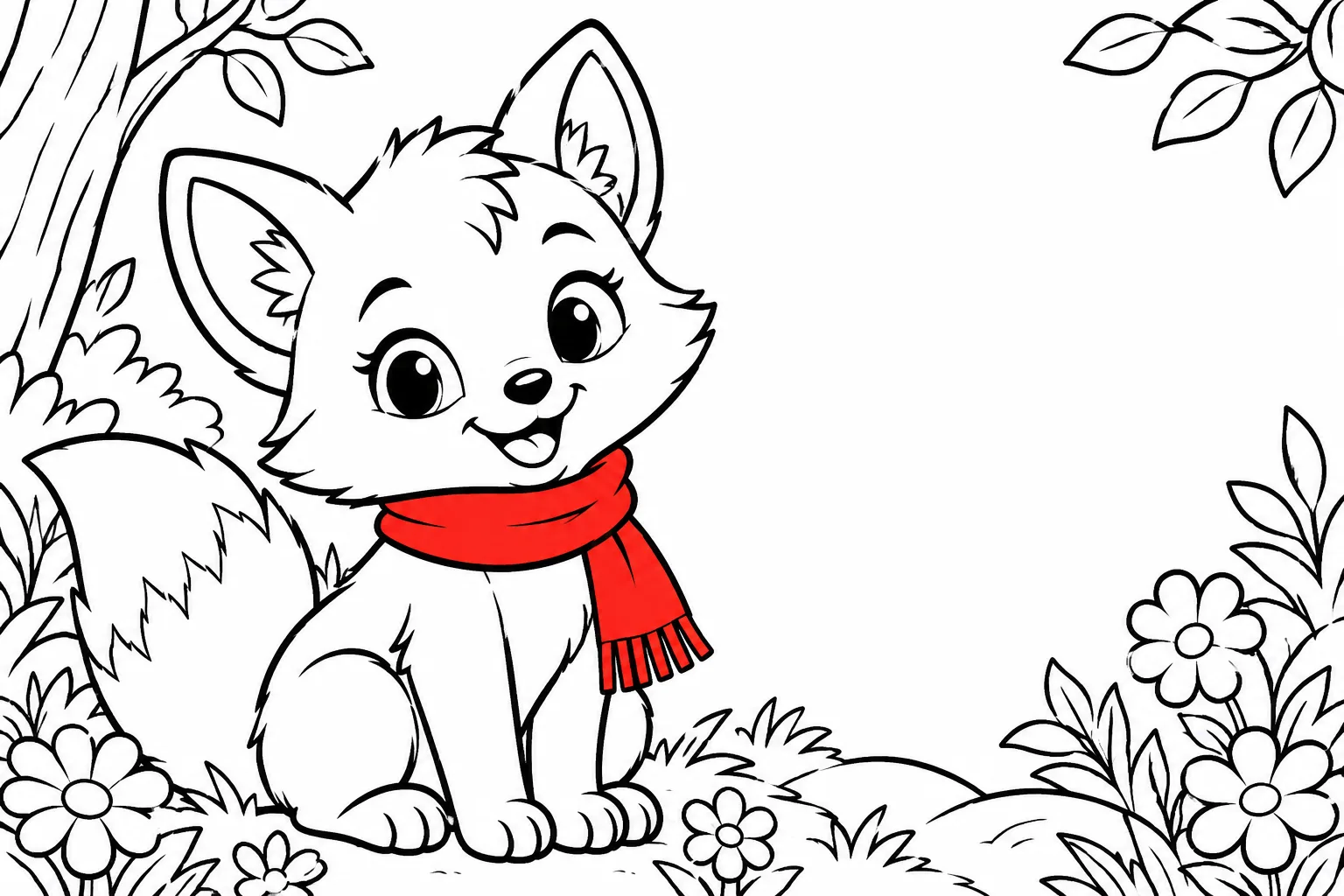
Cover and interior are different files
A coloring book cover is a sales asset. It can use color, texture, and a strong title treatment. The interior is a print asset. It needs black line art on white paper, thick closed outlines, and enough white space to color. A model that paints a beautiful cover is not automatically producing a printable interior.
In the workspace, the coloring-book mode separates the cover prompt from the page prompt. Generate the cover for the shelf, then generate the interior pages as line art. Check both at the final print size.
| Asset | What it needs | What to avoid |
|---|---|---|
| Cover | Color, focal point, title zone | Busy type, tiny details |
| Interior | Black closed outlines, white background | Gray fill, color, tiny gaps |
| Title page | Readable title and subtitle | Art that competes with the words |
| Back cover | Theme, blurb, barcode zone | Art under the barcode |
Choose a theme with enough pages
A coloring book needs a theme that can support a full set of pages without repeating the same drawing. Animals, gardens, dinosaurs, mandalas, vehicles, and seasonal scenes all work because they have many variations. A single character can work too, but it needs different poses and settings.
Plan the page list before generating. If the theme produces only ten distinct ideas, the book will feel thin. A useful target is twenty to thirty pages with a clear progression or category structure.
- Twenty to thirty distinct page ideas
- A clear order or category structure
- A cover that signals the theme in one image
- A title that is easy to read at thumbnail size
Use line-art prompts that print cleanly
A printable coloring page needs pure black lines on white, closed contours, and no gray shading. Ask for thick outlines, simple shapes, and a centered composition. Avoid requests for texture, gradients, or photorealism; those produce pages that are hard to color and expensive to print.
Check the generated page at 100 percent. Look for gaps in the outlines, accidental text, and large black areas that would drink ink. If the page has gray fill, regenerate it rather than trying to clean it up later.
Size the book for the press
Coloring books commonly use 8.5 x 11, but the final trim, bleed, and page count still determine the cover wrap. If the art reaches the edge, add bleed. Keep the title and the main subject inside the safe area. Check the spine before adding text.
A coloring book with blank backs can be printed single-sided, but the page count still affects the spine. Decide the interior structure before you calculate the wrap.
A cover that tells the buyer what is inside
The cover should show the style and the subject, not just a decorative pattern. A buyer should be able to tell whether the book is for children or adults, whether the lines are simple or intricate, and what the theme is. Use one strong subject and a title that reads at thumbnail size.
Do not put a page of fine line art on the cover if the interior is simple, and do not promise a specific number of pages unless the count is real. The cover is a promise; the interior has to keep it.
FAQ
Frequently asked questions
Can I generate both the cover and the coloring pages?
Yes, but they use different prompts. The cover can use color and texture; the interior needs black line art on white with closed outlines and no gray fill.
What size should a coloring book be?
8.5 x 11 is a common coloring-book trim. Confirm the trim, bleed, and page count before you calculate the cover wrap.
Why do my coloring pages have gray fill?
The model was probably asked for texture, shading, or a painted look. Regenerate with a pure line-art prompt and explicitly exclude gray fill, color, and photorealism.
Can I put text on the cover?
Add the title in a layout tool after generation. Generated lettering is unreliable, and the title needs to stay editable.
How many pages should a coloring book have?
A useful target is twenty to thirty distinct pages with a clear theme or progression. The page count also affects the spine and the printing cost.
Can I sell an AI-assisted coloring book on KDP?
You can submit AI-assisted work when you have the rights and disclose it honestly when asked. Amazon makes the final acceptance decision.
Was this publishing guide or tool helpful?
Make the cover colorful and the pages printable.
Start a coloring book, generate the cover, and keep the interior in line-art mode. Check the trim and wrap before export.